First-Launch Tour
The first time you open the Launcher, a guided tour highlights the key parts of the interface. The tour is non-dismissible by accident — you must either step through it or explicitly click Skip. You can replay it at any time from Settings → Help → Show Tour.
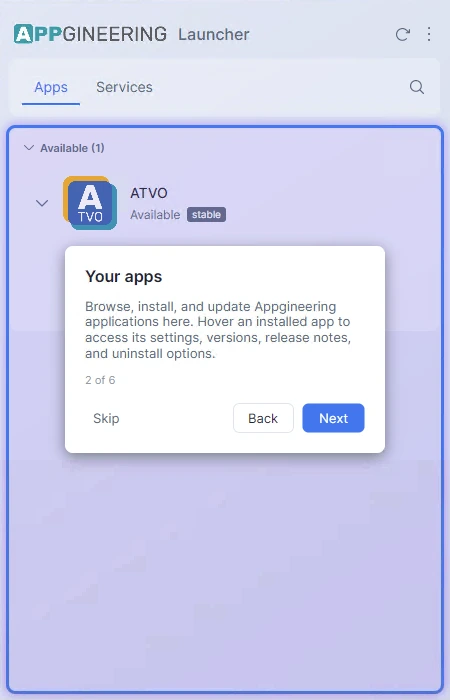
The tour consists of six steps:
- Welcome — Introduces the Launcher and what it does.
- Your apps — Highlights the application list where installed and available apps appear.
- Services — Points out the Services tab for web-based Appgineering tools.
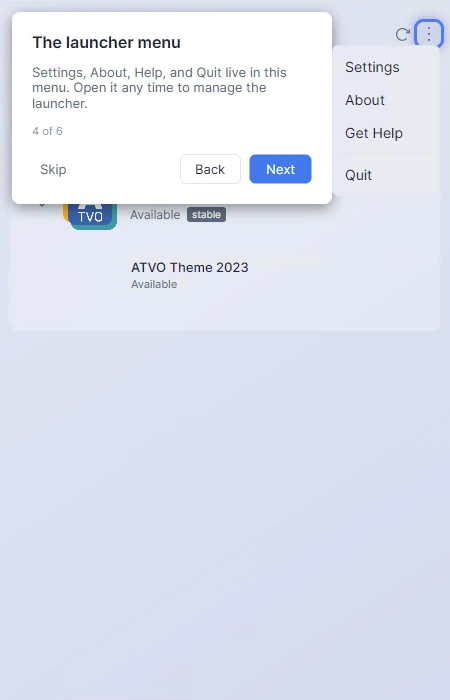
- Settings menu — Opens the dropdown menu and explains Settings, About, Help, and Quit.
- Settings & tour replay — Navigates to the Settings page and shows where to restart the tour.
- Running in the background — Explains that closing the window minimizes the Launcher to the tray / menu bar rather than quitting it.
The tour card automatically repositions itself near whichever UI element it is describing, and an animated highlight ring is drawn around that element to draw your eye to it.
Skipping or Restarting the Tour
You can stop the tour at any step by clicking Skip. The Launcher remembers that you have completed the tour and will not show it automatically again — even if you click Skip on the first step.
To replay the tour later, open Settings → Help and click Show Tour. The tour will start from the welcome step regardless of how far you got the first time.