Release Channels
Each application can be set to one of three release channels:
- Stable — Production-ready releases. Recommended for most users.
- Beta — Pre-release builds intended for testing upcoming features.
- Alpha — Early development builds. Expect issues; intended for power users and contributors.
The channel is configured per application in the Settings tab of its detail view. Changing the channel takes effect immediately. If the newly selected channel has a different recommended version than the one you have installed, the Launcher will offer an update or downgrade on the next refresh.
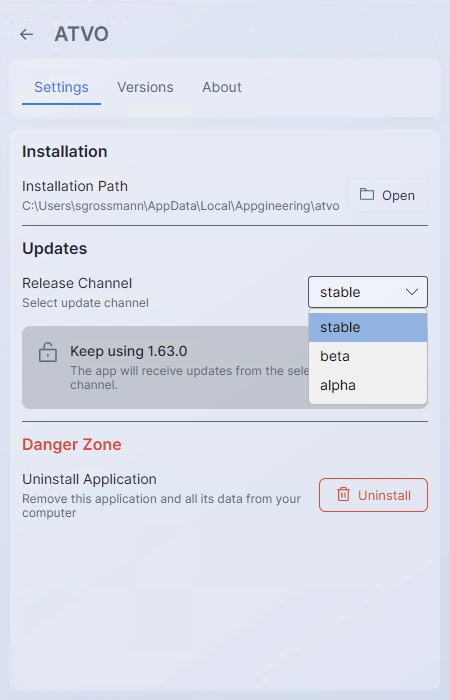
Switching channels does not uninstall your current version. You stay on whatever you have installed until you explicitly accept the channel-appropriate version from the Versions tab or the Update banner.
If you want to try a specific Beta or Alpha version without committing your channel to it, you can install it directly from the Versions tab — the Launcher will automatically switch your channel to match.